Changing Salesforce partners feels risky because the knowledge of your org sits with someone else. Done in the right order, it doesn’t have to slow anything down.
This is the order we follow when a company moves its Salesforce to us. It works the same way whichever partner you choose.
Key takeaways
- Ask for access and documentation early, in writing, and in your own name.
- Start with a review, not a rebuild: you can’t plan changes to a system nobody has mapped.
- A short overlap between partners costs a little and saves a lot of guessing.
- Predictable support means a fixed monthly allowance, time tracked to the minute, and a warning before the limit.
- Your own team should still understand and steer the system.
Signs it’s time to change
It’s time to talk about it when small requests take weeks, when nobody can explain how your org works, or when your partner’s focus no longer matches where you’re going. Often that’s nobody’s fault: needs change, teams change, priorities change.
- Small changes wait in a queue for weeks.
- You can’t see what you’re paying for, or where the time went.
- Everything about your org lives in one person’s head.
- Nobody suggests improvements; requests only go one way.
- Your plans, such as a new cloud or AI features, need skills your partner doesn’t focus on.
If only one of these applies, a frank conversation with your current partner may be all you need. If several do, it’s worth looking at the alternatives.
What to ask for before you switch
Ask for access and documentation first, in writing, before the notice period starts. A good partner will help: a clean handover protects their reputation too.
- Access in your own name. At least one system administrator user that belongs to your company, not to the partner. The same for integration credentials and connected apps.
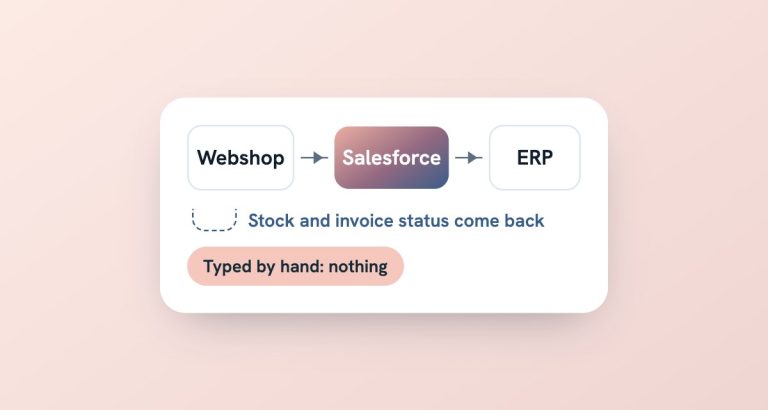
- The list of automations and integrations. Flows, Apex code, scheduled jobs, and which external systems connect to Salesforce, in which direction.
- Documentation of the data model. Custom objects and fields, and what they’re used for.
- Installed AppExchange packages and licences. What you have, what you pay for, and when it renews.
- Open issues and known workarounds. The things everyone knows but nobody wrote down.
- Environments and deployment. Which sandboxes exist and how changes reach production.
Don’t worry if the documentation is thin. Most orgs’ documentation is. It just tells the new partner how much mapping to plan for.
Why the first step is a review, not a rebuild
Because you can’t plan changes to a system nobody has mapped. A short review tells the new partner what they’re taking on, and tells you what’s worth keeping.
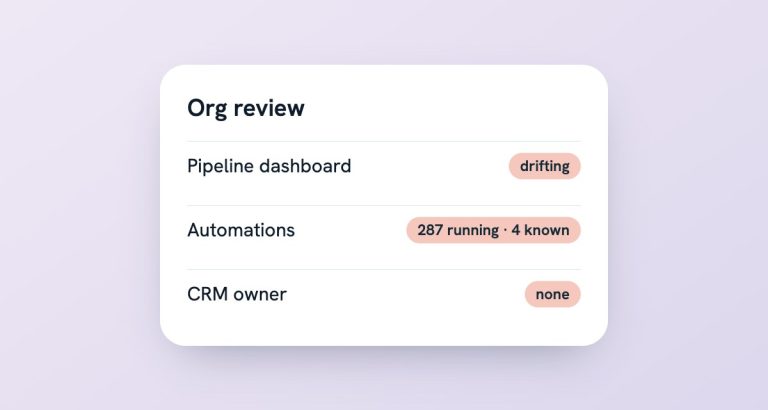
In our experience, an inherited org usually has a sound core. The problems sit around it: automations nobody owns, reports that drifted, integrations without an alert. A rebuild throws the good parts away with the bad, and costs you months of momentum.
What you should get out of the review is short and practical: a map of the automations and integrations, the risks in order of impact, and a plan for the first few changes. Not a hundred-page report, and not a quote for rebuilding everything.
A common moment is a new sales director arriving to an org that nobody can explain. Mapping that architecture and making it understandable is part of support, not a separate project. If the review shows deeper problems, a CRM audit is the structured next step.
Run both partners for a short overlap
If you can, keep the outgoing partner for a short overlap. It costs a little more and saves a lot of guessing.
- Hold a few walkthrough sessions on the parts of the org that matter most.
- Let the new partner shadow open requests before taking them over.
- Agree a date from which new requests go to the new partner.
- Decide who handles urgent issues during the overlap, and write it down.
If an overlap isn’t possible, the review simply takes a little longer. With administrator access, most of an org can be mapped from the inside.
Either way, tell your users what’s happening and who to ask from which date. Most of the friction in a partner change comes from people not knowing where their request went.
Thinking about switching?
Start with a free 20-minute health check. We’ll tell you honestly what we see, and whether a change is worth it.
Set up support that’s predictable
Agree a fixed monthly allowance, with time tracked to the minute and a warning before you reach the limit. Then you always know where you stand.
That’s how our Salesforce support works. Within the allowance, we help when people get stuck, fix what breaks, and ship small improvements, such as a new field and the metric that depends on it. When the problem is a Salesforce bug, we raise the ticket and manage it with Salesforce’s technical team for you. Work beyond the allowance is agreed first. If it keeps happening, a larger allowance is usually the better deal.
Good support also looks ahead. Salesforce ships three major releases a year, and each can retire a feature your org relies on. Someone should check what changes in your org before a release lands, so it doesn’t surprise your users on a Monday morning.
One thing to insist on with any partner: your team should still understand and steer the system. Part of good support is training someone on your side to own the CRM, so the knowledge never sits in one place again.
Questions to ask a new partner
Before you sign, ask the questions that show how the partnership will work on an ordinary Tuesday, not just in the pitch:
- Who will actually work on our org? Names and experience, and who covers when they’re away.
- How is time tracked and reported? Can we see it at any time, or only on the invoice?
- What happens near the limit of the allowance? Do we hear about it before or after?
- How are changes documented? Where will the next person find out what was built and why?
- Whose name is on the administrator access? It should be yours.
- How do you handle Salesforce releases? Who checks what changes in our org three times a year?
- Will you train someone on our side? If the answer is no, the knowledge stays in one place again.
Good answers are specific and a little boring. Be wary of any answer that boils down to “leave it to us”.
Frequently asked questions
How long does it take to switch Salesforce partners?
It depends on how well the org is documented and how many integrations it has. The review at the start gives you a realistic plan before you commit to dates.
Do we have to switch partners completely?
Not necessarily. Some companies move support first and keep a specialist partner for one area. How and when the handover happens is up to you.
What if our current partner can’t hand over documentation?
Your org and its data are yours. With administrator access, we can map most of it ourselves during the review. It takes longer than a handover, but it works.
Can you support just one Salesforce cloud?
Yes. You can contract support for a single cloud, such as Marketing Cloud. Most companies cover their whole Salesforce setup, because problems rarely stay inside one cloud.