When you need a CRM audit
A CRM audit is for when your reports, dashboards or automations stop making sense, or nobody is quite sure what’s in the org anymore. It works for Salesforce and for other CRMs, such as HubSpot or MiniCRM. Not sure yet? Read the seven signs your Salesforce org needs an audit.
Sound familiar?
- “Why did my dashboard break?”
- The data isn’t as clean as it was a year ago.
- Nobody touched it, and it still broke.
- Nobody knows who owns an automation.
- Reports need checking by hand before anyone trusts them.
What we look at
We choose the scope with you, so the audit covers what matters to your business and nothing else. Areas we can review include:
- data security
- the data model and any migration plans
- licence levels and how much of them you use
- file storage
- sharing and visibility
- custom code
- the development process and environments
- external systems and how data syncs between them
- integrity across clouds
- AppExchange packages
- compatibility with upcoming Salesforce releases
- flows and Agentforce agents
- AI readiness
How the audit works
We agree the scope before we start, and you can stop after any phase. If we find something outside the scope, we flag it straight away instead of quietly adding work.
- Pre-audit: your goals
- Business and technical requirements
- Target state analysis
- A proposal of what to audit
- Documented findings
- Refactor or rebuild, if you want us to
Rebuild only what’s worth rebuilding. A good audit often confirms that most of the setup is fine.
What you get at the end
Documented findings, written so your team can act on them, and a prioritised plan for what to fix first. A common result: the implementation itself is sound, but the management dashboards and the measurement around it are missing.
Start with a free health check
Not sure you need a full audit? Spend 20 minutes with a Cluedit expert and bring the three things that annoy you most in your CRM. No sales deck. If everything looks fine, we’ll tell you.
What it looks like in practice
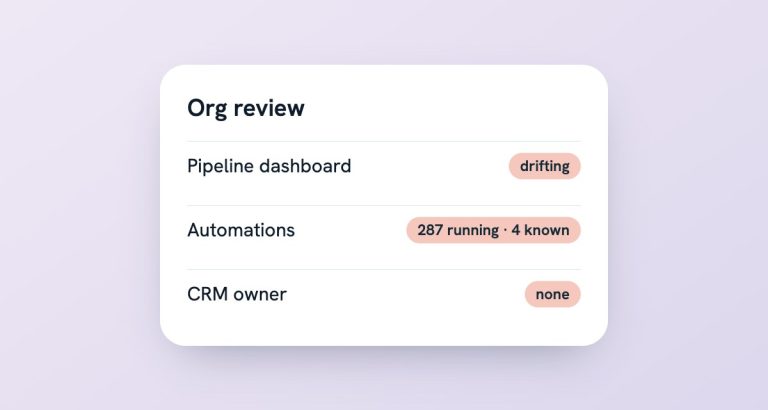
One company believed it had four automations. When we looked, 287 were running in the org. Many had been generated with AI around custom code, several people had system administrator access, and nobody owned the CRM.
Nobody had done anything wrong on purpose. The setup had simply grown without anyone keeping track. The audit gave the team a clear picture of what ran, what mattered and what could go.
Frequently asked questions
What’s the difference between the health check and the audit?
The health check is a free 20-minute conversation that gives you an honest first view. The audit is a scoped review of your org, with documented findings and a prioritised plan. Many audits start with a health check.
Can we stop after the findings?
Yes. You can stop after any phase. Many clients take the documented findings and decide later whether to fix things themselves or with us.
Do you audit non-Salesforce CRMs?
Yes. We also review other CRMs, such as HubSpot or MiniCRM, against what your business needs today and in the next few years.
Will the audit tell us if we’re AI-ready?
It can. AI readiness is one of the areas we can include: data quality, permissions, documented automations and someone who owns them. Agree it in the scope and it’s part of the findings.
What do we get at the end?
Documented findings and a prioritised plan: what works, what’s broken, what’s worth fixing and in which order. If you want us to, we refactor or rebuild the parts that matter.